2019年8月22日星期四

How to Choose The Right Wide Format Inkjet Printers?

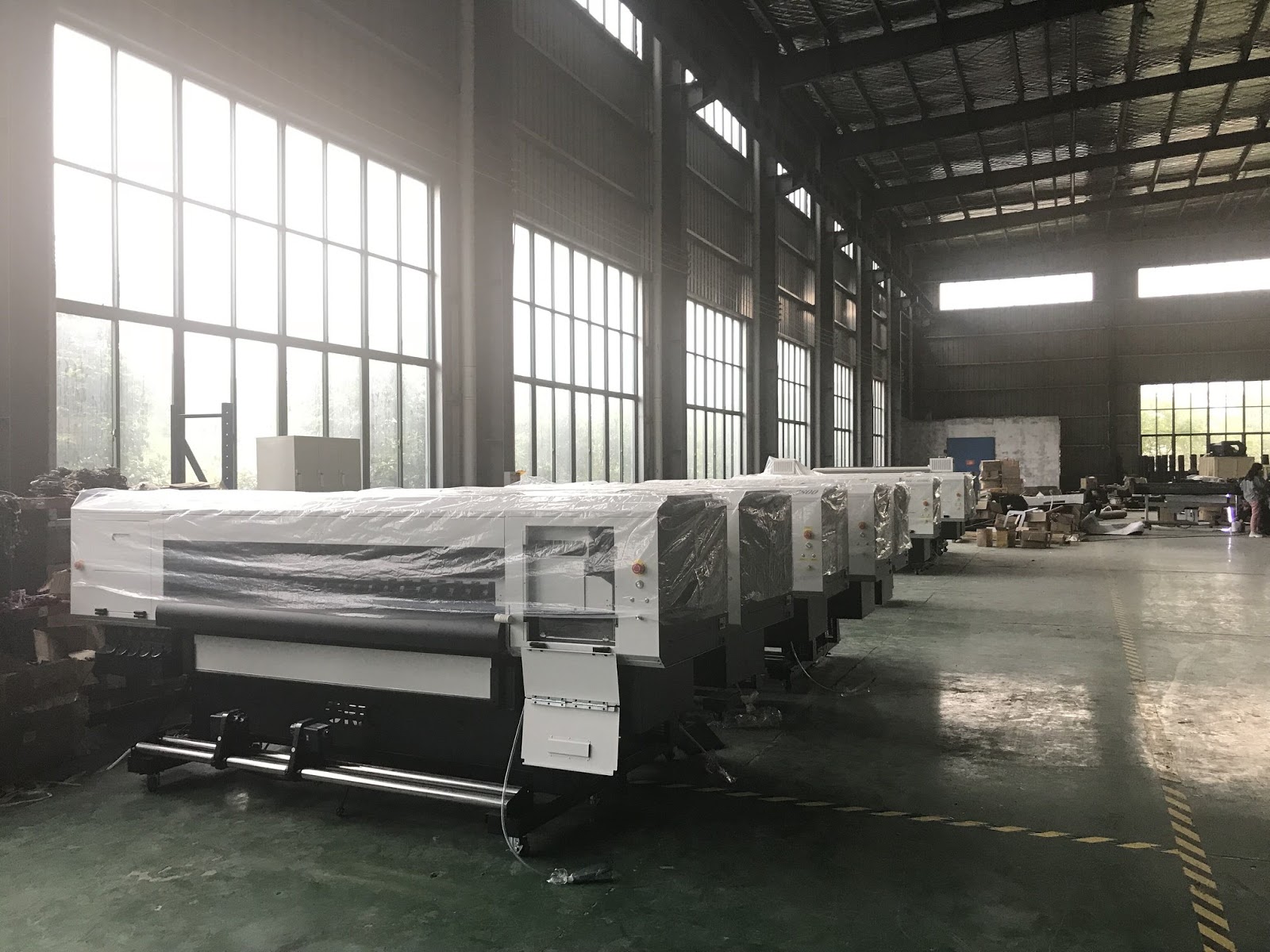
Wide-format printing is an innovative industry that is on the move to the mainstream with devices that can churn out specialty items as well as office standbys like large spreadsheets and proofing copies for posters and marketing materials. Keep an eye on these five trends that could come to fruition in 2019.

Small businesses often need flexibility in printing. For architects, artists, professional photographers and clothing designers, 8.5 x 11-inch paper won't cut it. Businesses reliant on printing need affordable, flexible printers they can count on.

While it's not right for every business, some businesses benefit from the use of wide-format printers. A large-format printer gives them the confidence to print images and designs well above the standard 8.5 x 11-inch size many of us are accustomed to using.


When picking a wide-format printer for your business, there's a lot to consider, including its size, printing technology, accessories and stand. Start by deciding what you want to use it for. For instance, an ad agency that prints posters and banners might value color quality and use of specialty stocks, while a construction firm might favor plain paper for technical plans and blueprints, where speed and accuracy are key. The major companies in the industry normally make models designed with different use cases in mind. For example, Epson's best printer for architects likely isn't the same as its best printer for a small business printing marketing materials.

Dig deep into the features list and you'll have to decide whether borderless printing or the ability to use different printing stock and scan large items fit your business's scope. The "best" wide-format printers will vary from business to business. Try to get the most versatile printer you can afford, and if it can't do certain specialty jobs, send them to a print shop.


There will be a greater variety of substrates to print on coming in 2019. In addition to lots of different papers, look for a wide assortment of textiles for anything from a hanging banner for a factory opening to prototype fabrics for interior design. 
Keep an eye on the inks available for these monster printers. There will a bunch of new UV and latex formulations that allow greater weather resistance, longevity and control. Add an extra level of embossing and surface treatments, and you have a recipe to make posters and marketing displays pop.

Pantone color management, where you can specify an exact color from a book of swatches, will creep further into large-format printing. This will allow designers to get exactly the colors they want.


Time is money, and there will be several new single-pass printers that can work faster without sacrificing rich colors and accurate gradients.
Wide printing will continue to go mainstream with more tabletop devices that can cross over and perform multiple tasks. In addition to 24 x 36-inch blueprints, posters and banners, they'll be able to churn out large spreadsheets and training materials.


We have our own brand of printer, ORIC, and we also agent other brands abroad, such as EPSON, MIMAKI, ROLAND and MUTOH.

We mainly focus on researching and developing high-speed and high-resolution inkjet printers and control system, our printers and accessories have the honor to earn widespread acclaim by the firmly support of the top R&D team and our own technology. Major products are E series water-based printers, R series UV printer, O series flatbed printers etc.

What's Wide Format Inkjet Printer for Digital Printing Business?

What Is a Wide-Format Printer?
Wide-format printing uses rolls of material instead of individual sheets, which means you can size your prints according to your needs. They're precise enough to use for tasks previously relegated to wide-format plotter printers, like drawing up schematics or floor plans. You can print on a variety of media, including plain bond paper, backlit film, adhesives and fabric.

 Businesses from many different industries use wide-format printers. We found that professional photographers, construction and architecture firms, mapmakers, and companies creating marketing materials are the most common businesses using large-format printers. The ability to create high-quality photos and detailed line drawings makes wide-format printers valuable tools for small and midsize businesses.

A good large-format printer gets the job done quickly – some can print drafts at speeds of more than 5,000 square feet per hour. Different inks let you tailor your purchase for your business, whether you need output that stays bright and vibrant over time, stands up to outdoor weathering, or simply has a long shelf life.


Size matters, and these printers come in several widths based on the largest stock they can handle. For many, an entry-level, 17-inch model will be enough; others will want to move up to a 24-, 36-, 42- or even 64-inch model. The good news is that most can use narrower stock to reduce paper waste.

Some wide-format printers can print on huge sheets of paper, but most rely on rolls of printing stock that can be as long as 300 feet; the best models can use either. After the print is made, it either is automatically cut and lands in a catcher tray or needs to be manually cut off the roll. This setup works just as well for printing a 20-foot banner for a company's annual meeting as it does for the blueprints of a new building.


Although some inkjet printers have a USB interface for use with a single system, all wide-format printers connect via your company's networking infrastructure through Ethernet cables. This network connection not only simplifies initial setup but allows anyone authorized to use the printer to send it a job from a desktop, laptop or even tablet.

Wide-format printers have one big drawback: the cost. These aren't for simple around-the-house tasks, and their price tags prove it, ranging from $5,000 for a machine a lone designer might use to over $80,000 for a shop-ready printer with all the add-ons and accoutrements.


To provide a rounded view of each wide-body printer, we've examined the major aspects of these devices. Because of their complexity and tight focus, we take a holistic approach to the assortment of features and abilities. In addition to page width, speed and the variety of media they can print on, we look at what inks and consumables they use and the manufacturers' support options.

We have our own brand of printer, ORIC, and we also agent other brands abroad, such as EPSON, MIMAKI, ROLAND and MUTOH.


We mainly focus on researching and developing high-speed and high-resolution inkjet printers and control system, our printers and accessories have the honor to earn widespread acclaim by the firmly support of the top R&D team and our own technology. Major products are E series water-based printers, R series UV printer, O series flatbed printers etc.

2019年8月19日星期一

How to Solve The Plug on Print Head of Uv Printers?

Plug solution
The repair of the hard plug of uv printers, the hard plug refers to the chemical coagulation in the nozzle or the plug caused by impurities, the troubleshooting method is more difficult, in this case can be solved by the following method.


 1. Soaking method, applicable range: the resistance is lighter. Required tools: cleaning solution, a clean cup and a flat metal container with a flat surface; working principle: dissolve the ink particles one by one with medium-strength organic solvent, be sure to use cleaning solution, otherwise it will be counterproductive. Solution: First find a metal container with a flat surface and add a little cleaning solution to the container. 


The cleaning solution is limited to the immersion of the stainless steel edge of the print head (be careful not to let the PCB contact the cleaning solution). Soaking time generally ranges from 2 hours to 4 days. The advantage is that the cleaning effect is good, and it is not easy to cause physical damage to the print head; the disadvantage is that the time required is long, and it is difficult to solve the user's urgent need.


2, distilled water cleaning method, the scope of application: severely blocked. Essential tools: a decoded empty cartridge, a disposable syringe, and a bottle of medical distilled water (also available in clean water). Working principle: similar to the working principle of pressure cleaning. Solution: Prepare a decoded empty ink cartridge, a disposable syringe and a bottle of medical distilled water. Using the pressure generated by the siphon action of the syringe, inject the syringe into the distilled water through the vent hole of the ink cartridge, and then inject it into the cartridge for a while. The injected distilled water is sucked out by a syringe, so that the remaining ink in the ink cartridge is washed repeatedly several times.


3, ultrasonic instrument cleaning method, the scope of application: the most severely blocked. Working principle: The ultrasonic cleaning machine generates strong ultrasonic waves to make the water molecules vibrate violently, and the fine dry ink particles are shattered and dissolved in water to achieve the purpose of cleaning. Solution: Put the UV roll to roll printer head into the washing machine gently, add pure water or special print head cleaning solution, pure water or special print head cleaning solution is just enough to cover the stainless steel edge of the print head (be careful not to let the PCB contact To pure water or special cleaning solution, it can be quickly cleaned after 10 to 15 hours. The advantage is that the cleaning effect is very good, the printing head that has been blocked for many years can be cleaned and the operation is very simple; the disadvantage is that the maintenance cost is high and the price is relatively expensive.


We mainly focus on researching and developing high-speed and high-resolution inkjet printers and control system, our printers and accessories have the honor to earn widespread acclaim by the firmly support of the top R&D team and our own technology. Major products are E series water-based printers, R series UV printer, O series flatbed printers etc.
Read more: www.oricprinter.com

What's The Reasons and Solutions of UV Printer's Print head Plugged ?

For Uv printing the core part of the UV printer is the UV print head, which is what we often say. For the printing company, the "plugging" phenomenon of UV printers has occurred from time to time, which is really unbearable for users. Holding the printer for a long time will cause plugging, improper operation will cause plugging, and poor ink quality will cause plugging! It seems that the plugging phenomenon is very troublesome!

 UV printer plugging reasons and solutions
If it is not repaired in time, it will not only affect the production schedule, but also cause permanent plugging, which will make the printer scrap. If you change the nozzle, then the cost can be higher! Therefore, it is especially important to learn a "true skill". Daily maintenance, reduce the phenomenon of plugging, in the face of unexpected situations, can easily deal with!


The "culprit" of the UV printer plugging phenomenon, because the print head is normally printed, the seal is not tight or placed for a long time, the water is excessively evaporated, causing the ink particles to dry at the tip of the fine print head, so that the ink cannot be ejected normally. Or different inks are mixed with each other to produce a chemical reaction, which usually manifests as a failure such as frequent disconnection, missing color, illegible writing, or even normal printing.

We all know that the price of a UV flatbed printer ranges from tens of thousands to hundreds of thousands. The most need for maintenance of the whole machine is the nozzle. The nozzle plug is one of the common problems. Firstly, the cause of the plug is clearly understood. Better solve the problem fundamentally! Share it for everyone today!


Plug cause
Common reasons for UV plugs for UV flatbed printers:

First, [bubble plug] UV ink defoaming performance is not good, bubbles will be generated in the ink, once the bubble enters the nozzle, it is difficult to come out, resulting in air blockage.

Second, [Miscellaneous Plugging] The tiny particles in the UV ink enter the nozzle and are blocked in the narrow passage of the ink.

Third, [filter net plug] Inferior UV ink in the debris and harmful solvents are blocked in front of the filter, it will block after a long time.


Fourth, [dry knot plug] In a long period of time, no nozzle is used, and the ink is dry to cause plugging.

V. [Chemical plugging] UV inks of different natures are used, and debris is caused by chemical reaction.

Sixth, [corruption plugging] occurs when the temperature is high, the bacteria in the UV ink multiply, the ink is spoiled and denatured, and debris appears inside the nozzle.


VII. [Fouling plugging] UV ink itself is made of water when it is produced. The ink is used for a long time. The dirt is in the nozzle, causing the effective diameter of the nozzle to become smaller.

Eight, [oily plug] UV ink vehicles need lubricating oil, will volatilize and spread to the nozzle, changing the physical properties of the nozzle, causing plugging.

Nine, [Electrical plug] The nozzle is equipped with ink or ink cartridge chip electrical performance detection. When there is non-standard ink or chip, the ink valve is closed to different degrees, the ink can not pass normally, and it is called false plug.

X. [dirty plug] The nozzle is exposed to the outside, and dust particles in the air are adsorbed on the nozzle to cause plugging.

In general, the classification and solution of UV printer plugging phenomenon can be roughly divided into two categories: soft plug and hard plug. Understand the cause of the plug, then look at the solution:


The repair of the soft plug, the soft plug block refers to the disconnection fault caused by the viscosity of the ink on the nozzle due to various reasons. Sometimes it only adheres to the surface of the nozzle of the ink outlet. Generally, the cleaning solution can be recovered after repeated cleaning. The operation is simple and fast, without any physical damage; the disadvantage is that the use cost is high, and the cleaning liquid is wasted. Note that the above method should generally not exceed three times. When the printer "plug" is not serious, it should be opened within three times; if it cannot be opened three times, it means that the plug is more serious, and the number of cleanings is not necessarily useful, and it is unnecessary to waste a lot of expensive cleaning liquid. Further processing according to the specific situation.

Read more: www.oricprinter.com

2019年8月15日星期四

How to Choose Right Print head with Ink Drop Technique for Uv Printers?

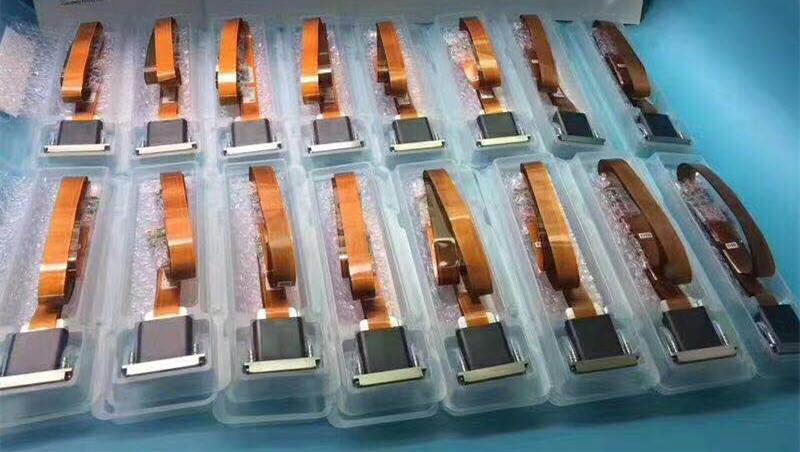
There are some Print heads usually work on uv printer such as : Kyocera nozzle, Ricoh nozzle, Toshiba nozzle, Konica nozzle, Epson nozzle, Seiko nozzle. The nozzles should be selected according to the actual production requirements. The civil processing and assembly nozzles have already met the processing requirements. For industrial production, high-end nozzles need to be assembled in order to meet mass production.

 Choose the three indicators of the uv printer nozzle:

1. Nozzle: refers to the number of orifices. The more the number, the more the corresponding inkjet outlets, the faster the speed.

Second, PL: refers to "picoliter" or "picoliter", the volume measurement unit, equivalent to "10 to the -12th power" cubic meters, the smaller the value, the higher the accuracy.

Third, the print width: the wider the width, the wider the range of inkjet printing per unit time, can effectively improve the printing efficiency.

The traditional printing and printing equipment use fixed size ink droplets, and there are problems of uneven pattern transition. Oric uv printer applies Ricoh G5 print head and can adjust the size of ink droplet. It makes the printing color transition zone have a layer sense and even.


Variable drops technology (gray-scale technology) is a technology in the printing industry. It refers to control the ink drop size at will. The application of this technology makes the application of uv flatbed printers more advanced, more broad prospect. Here is a detailed description of the uv flatbed printer manufacturer Dlican.

UV flatbed printers can realize variable drops technology, because of using the piezoelectric print heads. You can choose different combination of drops according to the different printing material. It improves the printing speed while meeting the requirements of the picture color density. It ensures accurate output image distinctly and excessive-evenly. The technology of the variable ink droplet is used because of the problems in the current uv flatbed printer, such as excessive unevenness, and lack of hierarchy.


As we all know, each picture is made of different color combination drops with different sizes. On the premise of no drops size variable technology, printed pattern is theoretically excessive very unevenly. Then use the variable technology of ink droplet, in two different color overregion it can print different size of ink droplets. Such effect looks to have a layer sense, excessively and more evenly.

The variable drops technology of uv flatbed printers overcomes the traditional print without administrative level sense, excessive uneven agonies. It gives uv flatbed printers industry new hope and a broad market prospect.


We have our own brand of printer, ORIC, and we also agent other brands abroad, such as EPSON, MIMAKI, ROLAND and MUTOH.

We mainly focus on researching and developing high-speed and high-resolution inkjet printers and control system, our printers and accessories have the honor to earn widespread acclaim by the firmly support of the top R&D team and our own technology. Major products are E series water-based printers, R series UV printer, O series flatbed printers etc.

2019年8月14日星期三

What's The Future of Large Format Inkjet Printer in Digital Printing?

If you want to do well and  make an impact in digital printing, you must need a large format printer, which have become integral part of business’s core assets.

 Some of the biggest brands in large format printers such as Mimaki, HP, Seiko, Mutoh, and Roland have already developed high quality wide format printers. They have ensured that publishing and visualization of images for advertising purposes is done in the right manner and with high quality.

Nowadays, significant importance is placed on good imagery, which leads to more impulse buying. As a result, Large format printers have a key roll in POP advertising, visual advertising such as Banners, Billboards and posters. The information is represented in visual format and allows users to

large format printer
Quality Matters
No one will deny that when it comes to printing, quality matters, and this printers help produce high-quality prints of complex and detailed images, which include satellite or aerial imagery. It is an effective medium, which allows the users to capture the big picture, and get even the smallest details on print. This means that the information can then be easily analyzed, discussed, and then discovered properly. The data that is contained in the information is dissected, and that enables collective decision making of the highest order.

large format printer
The main reason why large format printers and wide format printers are in such high demand is because they allow accurate and fast turnaround for commercial printing. They afford greater accuracy and time, which is why large format printers are preferred by printing professionals. They want access to accurate, and precise imaging solutions with print quality of the highest order, and that is exactly what this technology offers.


In tune with evolving work processes
There is no doubt about the fact that large format printers are the future, and if you’re looking to make a statement in the industry today, then you need to get your hands on one. There are lots of great brands that are offering large format printers and wide format printers, to meet the digital printing demand.

Different Types of Large Format Printers
Depending on the application or ink type there are a wide range of large format printers to choose from such as Eco-Solvent Printers, Solvent Printers, UV Printers, and UV Flatbed Printers, Latex Printers.


We mainly focus on researching and developing high-speed and high-resolution inkjet printers and control system, our printers and accessories have the honor to earn widespread acclaim by the firmly support of the top R&D team and our own technology. Major products are E series water-based printers, R series UV printer, O series flatbed printers etc.

2019年8月13日星期二

What Are The Nozzles Printheads of UV Printers and How to Maintain?


What are the nozzles of UV printers?
A: The nozzles of UV printers mainly include the following: Ricoh, Epson, Kyocera, Toshiba, Seiko, Konica, and more Epson's five-generation nozzles, Epson 4720 nozzles, Epson ten-generation nozzles and Ricoh G5 nozzles, Epson It is a non-industrial nozzle, and the others are industrial nozzles.

uv printer
 In order to make your uv printer handy, we have summarized some of the previous methods of cleaning the uv printer, hoping to help you.

1. After the installation of the equipment, and the maintenance and maintenance of the head for the initial stage of the equipment

uv printer
(1), To make the head into the best operation state, before the equipment to undertake the official start of the production business, please be sure to use 1 ~ 2 days to print some more pictures as much as possible. The picture is the best to use C/M/Y/K/LC/LM/W 7 kinds of color, and 2 sides of the picture with C, M, Y, K, LC, LM, W color bars to ensure each head is always in a state of inkjet. Just as a car must have a run-in stage when it comes back. The better it starts, the better it will be used later for the machine.

(2). When printing, it is best to remove the wet sponge from the right side of the station with its bracket.

uv printer
2. How to maintain the print head after daily work

To keep the print head in the best condition after daily printing, please use the following methods to keep the equipment overnight.

(1). Power off the device.

(2). Clean the sponge with a special cleaning liquid, then pour the cleaning liquid onto the sponge and soak it.

(3). Move the head back to the right-side cleaning station and combine the head with the hydrating sponge.

(4)Keep the equipment overnight.

uv printer
3. Methods of treatment after the detection of a slightly blocked head

(1). In the process of uv printing, if you find nozzle having jam phenomenon, please do not hesitate to press print pause key, and then use a vacuum cleaner or manual pump to make the ink come from the nozzle to clean. Then please use cleaning liquid to wash the residual ink.

(2). Print nozzle test before print operations, the status of nozzle, timely processing nozzle slight congestion thoroughly, in the long time in the process of print nozzle best working state is very important!

(3). In addition, it is necessary to check the nozzle situation and find out why the nozzle is blocked.

uv printer
4. The processing method of frequent nozzle blockage during the printing process

(1). Press the PAUSE button to suspend the printing work, then press the PURGE button to move the head to the left side cleaning position.

(2). Keep the power of the equipment in the open position, and unplug the auxiliary ink tank connected to the liquid level sensor signal line of the machine head control panel.

(3). Unplug the ink supply tube (from the auxiliary ink tank), and then extract the special cleaning liquid to clean nozzle. Methods: 40 ml each time, every 10 minutes at a time, a total of 3 ~ 4 times.

(4). After cleaning, plug the signal line for the ink tube and the liquid level sensor, and then continue the printing operation of the previous suspension.

We mainly focus on researching and developing high-speed and high-resolution inkjet printers and control system, our printers and accessories have the honor to earn widespread acclaim by the firmly support of the top R&D team and our own technology. Major products are E series water-based printers, R series UV printer, O series flatbed printers etc.
Read more: www.oricpritner.com